Chris Hannah Chris Hannah

Chris Hannah

Journal: 22 Feb 2019

I had a pretty good day at work today. We’ve started to use TDD for a new project, and I’m really enjoying it. Testing was never something I really liked to be honest, but I’ve got into a good flow with it. And I can already see the code quality benefits, and it’s pretty motivating to slowly see the number of tests increase.

While in my lunch break, I took the remaining screenshots needed for my Nintendo Switch/Pokémon review, and then published it! It’s one of my longest pieces of writing, and I’m pretty pleased with it. I certainly spent a lot of time on it.

I also ended up emailing Apple about the affiliate program. As back last year, they announced that the app affiliate program was ending, and I had a question about how they would handle the minimum threshold for releasing payments.

The issue stems from the way earnings are paid. They’re all into the currencies they were earned in, and the amount had to be over a certain threshold (£20 for me) to be paid. But I argued that since the thresholds would never be met, some earnings would be stuck. They reassured me that the threshold would be removed, and payments would be made in mid-December. I’ve had around 5 currencies paid out to me that were below the threshold, so I can tell something is happening. But I’ve still got money left, and I’ve heard that a lot of other people are having the same issue. So I’ve got in contact with them again, to see if they can finally clear it up.

Ten Days With a Nintendo Switch and Pokémon: Let’s Go, Pikachu!

I got my Nintendo Switch just 10 days ago. It’s the Pokémon: Let’s Go, Pikachu edition. I have just that game for it, and I’ve been playing it pretty much non-stop since I’ve got it, and I thought I’d share my opinions so far.


Contents


The Nintendo Switch

The console overall feels like the ultimate Nintendo console. It’s perfectly capable of being a great handheld device, but also super easy to just place it in the dock and play games on a television. I especially like the controller combinations, as there are quite a few. You can simple attach the Joy Cons to the console, play with one/two separately, use the “dog ears” controller (I like that name so much, I’m not bothering to find out the official one), and even the Pokéball controller that came with my Switch.

It feels powerful, while also being really customisable, and flexible to your needs.

My Pokémon Background

I’ve been interested in Pokémon ever since I was a child, and to put it bluntly, I was obsessed. I watched every episode of the series, played every game, watched every movie, and had a ton of Pokémon toys. My first game was Pokémon Yellow for the GameBoy Color. It was released in the UK in the year 2000, just before my 8th birthday. I’m not too sure when I actually got the game myself, but I can imagine it was pretty near that date. I kept it on me at all times, and become pretty attached to it.

Of course, over the years I’ve grown to be slightly less obsessed with the franchise. But I still play all the games, watch all the movies, and try to watch some episodes of the tv series. I’ve also been a pretty regular Pokémon GO player since it was released a few years ago.

I’m a big fan.

Initial Reaction

When I first started hearing about the game I wasn’t sure about it. I remember people reporting that it would be very similar to the simple playing style of Pokémon GO, and I was not pleased about that at all. But there was an interview with two people from Game Freak that cleared up a few things, and reassured me a bit.

Then the videos started to come out and to be honest, I was still a bit unsure how the gameplay would feel, compared to the original games. The main questions I had were about how you caught Pokémon, not being able to battle with wild Pokémon, and that the randomness about finding Pokémon seemed to be ruined by your ability to see all the Pokémon walking in the grass before you even initiated anything.

However, when I first launched Pokémon, Let’s Go, I was pleasantly surprised. And all of my worries about the game instantly went away. It just felt as if it was a perfect evolution of the game series, and everything made sense. The artwork was brilliant, and I loved the initial introduction with Pikachu. While the map is the same, everything is brighter, in much more detail, and of course, it’s in all three dimensions! So even just exploring the map is fun.

Gameplay

Seeing Pokémon in the Wild

One of the biggest changes in the gameplay was that you now see wild Pokémon running around in the grass. Before playing the game I thought this was a terrible idea, after playing the game I now find it one of the best changes they made.

Turns out, seeing the actual Pokémon running around in their natural habitats is actually very enjoyable. And there’s a lot of fun to be had chasing down a Growlithe or swerving away from a Zubat. It doesn’t entirely mean that you will be able to see every Pokémon though, as I’ve had a few occasions where they’ve appeared right next to me, and started an immediate encounter. So there’s still some surprise-factor left in the game.

Catching Pokémon

Another thing that I thought would take some time adjusting to, was the new paradigm around catching Pokémon. Instead of the previous process, where you would encounter a Pokémon in the wild, battle it, and then lower its HP so you could catch it easier. You simply encounter a Pokémon, and you can start throwing Pokéballs at it!

There’s still a level of complexity to it though, as there are better Pokéballs you can use to have a better chance of capturing a Pokémon, and also berries. They were in previous games, but the actual implementation in this game comes from Pokémon GO. Each berry has its own benefit, and I think they work well. Especially the Nanab Berry, which when used, makes Pokémon move less and therefore easier to catch.

That also leads me into the thing I most enjoy about the new way to catch Pokémon. It feels a lot more realistic because some Pokémon move more than others, which may require you to move around to get a good shot. In general, it appears as if they’re acting with a level of personality. At least enough to distinguish behaviours between different types of Pokémon.

Comparison With the Original

Most of the game seems the same as the original Kanto games. But there’s a few changes and some improvements. Such as the music. It features the same melodies, but in much higher quality, and what feels like more depth.

The map is the same, or at least so far it seems to be. I can’t imagine there being major differences later on, but at least so far I’ve only noticed one small change. And that’s a little Meowth sleeping above an entrance to something.

The way HM (hidden machines) work is different in this game. And for me, the changes are very welcome. In the past, a HM was taught to a Pokémon as a move, so it would be available in battle. But of course, it would take up space. Now they’re taught to your partner Pokémon (Pikachu or Eevee) and are worded slightly different, with Cut being replaced by a Chop Down ability.

External TV

I know it’s a fundamental part of the Nintendo Switch, but I have to comment on the fact that it’s just so easy to dock the console and have it just continue on a television. Pokémon also runs perfectly, which I guess I shouldn’t be surprised by either.

This is the single way I charge the device as well. As I tend to only play it in handheld mode if I’m commuting, or if someone else is watching television, and I’m just sat on the sofa playing it. So I haven’t actually seen a low battery warning more than twice I think.

I also noticed that the graphics were slightly better on the TV, and since looking at the tech specs, I can see that the Switch can output 1080p to a TV, but the handheld screen is only 720p. It doesn’t detract from the handheld display though, as I find it absolutely perfect.

Playing a Pokémon game on a 50″ television is something that may sound a bit silly at first, but it’s a very fun experience!

Pokeball Controller

When I was looking to buy a Switch, this was something I honestly didn’t care for. As I expected it to be a “companion” controller, and would only add a minuscule amount of playability to the game.

I was proved wrong as soon as I started playing with it. Mainly because you can play the entire game with just the Pokéball, and even when it only has two buttons and a joystick!

There’s a lot of fun parts to it as well. It not only makes noises and vibrates as you play the game, but it also acts like a real Pokéball would do when you’re trying to capture a Pokémon. The lights flashes and changes colour like the one in-game, and it also makes realistic Pokéball noises.

It also comes with a Mew “inside”, which you can transfer immediately to the game!

My Overall Experience With How I’m Playing the Game

Okay, so you can probably tell that I’m really enjoying the game so far. But there are a few extra points that I’d like to make, that really add to how I played the game.

One thing I noticed, was that it seems as if there’s a more diverse selection of Pokémon that appear in the game. Of course, there’s still only the same 151 Pokémon, but they seem spread out a bit more. Maybe this is down to the fact that you “see” Pokémon before you start an encounter, and therefore are aware of it more. But it certainly adds to the realism aspect of the game.

Of course, you wouldn’t find a fish Pokémon running round in the grass, but I’ve seen Growlithe just south of Cerulean City, and also just north of Vermillion City, either side of the tunnel. That’s not something I’ve seen in previous games. I’ve also spotted Rhyhorn and Cubone in Rock Tunnel, which both surprised me! And I can’t remember where exactly, but I caught a Kangaskhan really early on, possibly in Rock Tunnel, but certainly before you get the fourth badge.

How I played the game was slightly skewed from my knowledge of the previous games, in that I know the entire map, and how everything is tied together. But there’s also a few things that are different in this game. So while I could play through quite quickly, I’m taking my time to experience everything as if I’d never played it before. Part of me wants to explore every single part of the game and trying to spot where it’s different. Another part of me wants to just enjoy the content. And at the same time, I just want to catch every Pokémon and complete my Pokédex.

Overall I felt that the game allows for various types of gameplay. Sometimes I’m sat down in front of a television and I want to really get into the game, and focus on every bit of the content, and other times I’m laying on the sofa and I just want to catch a few Pokémon with the Pokéball controller. Then there are times when I’m commuting to/from work, and I use it as a handheld device. It’s something that can be used wherever you are, no matter the situation, and that’s something I really enjoy about the console as a whole, and Pokémon specifically, as it’s a game that lends itself well to different contexts.

The Future

I haven’t finished the game yet, and although I got my first three badges in just a few days, I plan on playing the game at a slower pace. Especially as I aim to complete my Pokédex.

As a Pokémon GO player, I’m also interested seeing how they work together. As you’re able to transfer Pokémon GO to Pokemon Let’s Go, after you’ve reached Fuchsia City. But as I haven’t reached that, I don’t even know what it looks like. I’ll probably wait until I’m relatively complete though, as I don’t want to “cheat”.

What else is great, is that there’s also another Pokémon game planned for release in 2019! So hopefully I can completely finish the game off before it comes out. It will be interesting to see if that follows in the footsteps of Lets Go, or if it will continue where the traditional series left off.

Apart from Pokémon games, I’m also thinking about getting Zelda and Mario in the future. We’ll have to see how that turns out though.

Anyway, I better go now. The Silph Scope isn’t going to find itself!

Journal: 21 Feb 2019

Work, work, work…

The only thing I’ve done after work, is to get my Nintendo Switch/Pokémon review nearer to being published. I added some extra details that I thought of throughout the day, and then I started the editing process. I did start this the other day using Markup on iOS, but this time I used the GoodNotes app, and it was a delight. I then made the changes, and read the whole piece again.

What’s left now is just the images. I need to get a header image, and also screenshots from the Switch. This wont take long, but it’s too late for me to do it tonight. So tomorrow will be the day of publishing!

After it’s been published, I can get back to Text Case development!

Journal: 20 Feb 2019

Back to the standard “nothing to say about work” introduction. I mainly continued the work on continuous integration, and also sorting an app release out.

The rest of the day was spent on the Nintendo Switch/Pokémon review. I wrote about 1700 words for the first draft, and I’m now on the step of editing it. I’m doing that on my iPad, combined with the native Markup feature and my Apple Pencil. It’s a pleasant experience!

There’s not much else left to do after it’s passed my “editorial process”, only some text formatting (with Text Case of course), adding any relevant links, and then capturing some screenshots from the game to include.

Then I’ll hit the publish button!

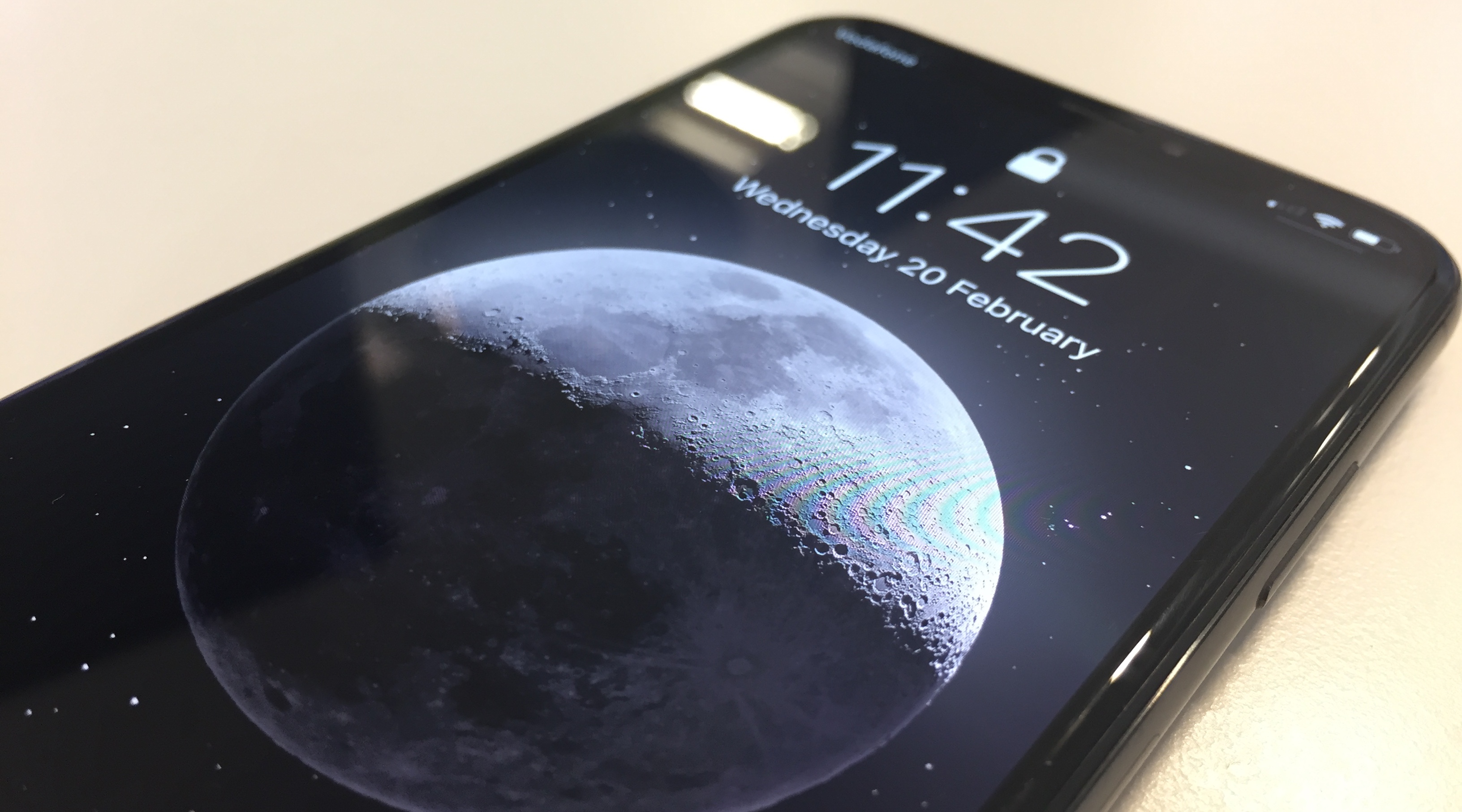
An 81 Megapixel Image of the Moon Makes an Awesome Wallpaper

Josh Ginter at The Newsprint:

The details of this 81 megapixel image of the moon is jaw-dropping — you can see everything.

Best of all, it works incredibly well as an iPhone or iPad wallpaper. The way it lights up the lock screen — especially on the iPhone — is stunning. In effect, it looks like the iPhone progressively lights up the screen, creating a fascinating effect with the lit moon that isn’t replicated the same in other types of images.

He’s right, it looks incredible.

Check out the photographers post on Reddit.

Journal: 19 Feb 2019

I played around with Continuous Integration at work today. It was quite fun, and as I was writing about it in this entry, it became its own article.

Apart from work fun, I managed to get another few-hundred words written for my Nintendo Switch/Pokémon review. It’s much slower than I planned, but oh well! It’s going to be big!

Something good that I can announce today is that Text Case 2.0 has finally entered an open beta! I thought I’d end up writing here about it waiting to be reviewed still, but just around an hour ago it was accepted. You can find the build on TestFlight.

Having Some Fun With Continuous Integration

I had an interesting day at work today, as I was configuring a new project work with our CI server, and have things like Unit/UI Tests in a readable format, and also convert the code coverage into something that could be stored along with the build artefacts.

Just for some background, we use Bamboo as a server, and I’m pretty limited with what I can actually configure myself, without getting someone with higher privileges. So I try to work within my limitations, and see what I can come up with.

I use Fastlane as the main solution to manage the whole process. And that means I can use the scan and slather commands to do the heavy lifting for the testing/code coverage. The way I had to integrate it in our CI server was reasonably simple. The test results were handled by setting the output type to junit, and then adding a simple JUnit Parser task on Bamboo. The code coverage was slightly more complex, as it needed me to run a python package that converts it into a “Clover” format that Bamboo could understand.

What was more tricky, was getting this data nicely formatted when it was sent to our Slack room. The previous build plans all had notifications handled form Bamboo, and it just gave a short message with the number of tests that passed/failed. I wanted more insight this time though, as I knew the test data was available, and also that I had code coverage being generated. I decided that the simplest (maybe it wasn’t in the end) solution was to just find a way to read the information from the .xml files, and send a custom message to Slack as part of the Fastlane process.

What I ended up with is a kind of monstrous-masterpiece. In Fastlane I had the Slack command being called with some basic information about the build, such as the branch, project name, and whether it passed/failed. But to get the results of the Unit/UI tests, I thought I’d use grep to find the line in the junit file that had text like “tests=100 failures=0”, I then used sed to clean up the surrounding text, and had the final output as “Passed: 100, Failed: 0”. The code coverage was slightly harder. I used grep and sed again in the same way to find the total code coverage, but it was formatted like “1.00000000”, and I wanted a percentage. So I piped that through bc with a small calculation, and they’re not formatted as a percentage with two decimal spaces.

Then with some magic of environment variables, I added two build-specific URLs to the message payload. One for the build details, and the other which linked directly to the code coverage report.

What I ended up with was something like this:

  • iOS App
  • Tests Passed: 100, Failed: 0
  • Code Coverage 100.00%
  • Coverage URL https://build.com/coverage/IOS_BUILD_99
  • Build URL https://build.com/IOS_BUILD_99/something
  • Result Success
  • Git Branch master

I’m not sure if all of that is relevant for each build, or if I’ll have to include some other things I’ve forgotten about. But what I can say, is that it was really fun to come with all of these little scripts that come together with something so simple at the end. And it’s quite likely that no-one else seeing the messages will have any idea the lengths I went to to make everything appear so simple.

Journal: 18 Feb 2019

Nothing really interesting at work today, apart from working on a release build for an app. So I’ll skip over the first half of the day for this entry.

I’ve been productive in a few areas today outside of work. I wrote another few hundred words for the Nintendo Switch/Pokemon review I’m working on, and I worked on Text Case some more!

I honestly thought I would have been finishing off the review tonight, but as I started writing the piece, I realised it was a bit bigger than I first thought. That’s good though, because I have a lot to talk about!

In the mean time, I did switch back to iA Writer. I’ve been using Ulysses for the past few years, and it’s served me well, but there’s a lot of benefits to iA Writer. So expect a short article on that soon as well.

With Text Case, I finally got around to doing a bit of work on the redesign. When I first completed the draft of the redesign I wanted more colours, so I gave every format a gradient background, and had a specific colour for each section. It always felt half-finished though, and I worked out what the issue was. It was hard to read the formatted text, and it just didn’t look as professional anymore.

I countered this by making the bottom portion of the format be more like the textfield colour, and the text colour to match. It resulted in an instantly recognisable upgrade, I think it’s much better with this slight change. And it makes the results completely readable, which is hard to get when mixing various colours with black text.

I’ve uploaded a build to Apple/TestFlight, and it’s currently waiting to be reviewed before it can be released to everyone. But feel free to sign up to to the beta, and be one of the first users to ever see the 2.0 redesign!

Journal: 17 Feb 2019

It’s been a relatively quite day today. The majority of it was spent lounging round the house. I made omelettes for breakfast, we then watched TV, and I played a bit of Pokémon on the Switch (of course).

After that we went into town to get a few things for the house, and on the way back home, we popped into my parents house to collect a few things. Obviously I was made to make the coffee and tea for everyone.

Then for dinner we had a pasta bake, which took nearly double the expected time, as it appears our oven is wildly inaccurate. I’ll have to do some research to see if we have anything set wrong, because I don’t want to buy an oven.

Apart from the boring day activities, I also started actually writing a piece in the Nintendo Switch and the latest Pokémon game. Over the past few days I’ve been noting down things as I played the game, and from that I worked out a rough outline of what I’m going to write about. And I think I should have it published Monday, or possibly Tuesday if time gets the best of me.

Journal: 16 Feb 2019

So today started with me watching about four episodes of Lost, while playing endless more hours of Pokémon on my Nintendo Switch!

After a few hours, me and my girlfriend finally built her wardrobe. It’s not complicated, but it’s absolutely huge, and it requires two sets of hands to hold things in place.

The wardrobe, along with watching a few YouTube videos, took us to about 8 pm. So we decided to go out for dinner, instead of starting to make something. We went to an average chain restaurant. It wasn’t great, but I guess it’s easier than cooking dinner ourselves.

We ended the day watching old school videos of ourselves. As we’ve found a lot of old content on YouTube of the time we were both at school together.