Becoming a Master by Being a Fool
Tim Ferris shared an epilogue from the book, Mastery, by George Leonard, on his blog. It's a five-minute read, and after reading, I immediately ordered the book.
I have many thoughts on how thinking like a child can lead to easier learning, less stress, and overall a simpler life. However, this short extract made me think that I've been using the wrong word. Maybe the quality I've been thinking of is foolishness, or more precisely, to be willing to have yourself portrayed as a fool, albeit temporarily.
It's a bit extreme, but here is a snippet from the epilogue that presents an example of being a fool:
Or you might take the case of an eighteen-month-old infant learning to talk. Imagine the father leaning over the crib in which his baby son is engaging in what the behaviorist B. F. Skinner calls the free operant; that is, he's simply babbling various nonsense sounds. Out of this babble comes the syllable da. What happens? Father smiles broadly, jumps up and down with joy, and shouts, "Did you hear that? My son said 'daddy.'" Of course, he didn't say "daddy." Still, nothing is much more rewarding to an eighteen-month-old infant than to see an adult smiling broadly and jumping up and down. So, the behaviorists confirm our common sense by telling us that the probability of the infant uttering the syllable da has now increased slightly.
The father continues to be delighted by da, but after a while his enthusiasm begins to wane. Finally, the infant happens to say, not da, but dada. Once again, father goes slightly crazy with joy, thus increasing the probability that his son will repeat the sound dada. Through such reinforcements and approximations, the toddler finally learns to say daddy quite well. To do so, remember, he not only has been allowed but has been encouraged to babble, to make "mistakes," to engage in approximations—in short, to be a fool.
The idea is that this "foolish" behaviour and the freedom to make mistakes were the reason behind the learning.
I may be stretching the snippet that I've quoted here, but I think the concept of being able to make mistakes goes further than just learning new skills. It's a fundamental part of any form of evolution.
I would recommend reading the full epilogue that Tim Ferris shared on his blog, and if it interests you, checking out the book.
No Reasons
Zach Phillips, on doing things without reason:
Ask a child why they’re building a tower or moving on from the current crayon to choose another color. They’ll just look at you funny or mumble something incoherent.
The real answer is something like “…..because fuck you, that’s why, stop asking dumb questions.”
Studies have shown over and over again that if you take a kid who naturally doodles and draws pictures and then institute a “reward” (reason) for their drawing, they will draw less.
Yet we try to motivate ourselves with reasons.
I think a lot can be learned from the behaviour of children. Especially when trying to navigate the various assumptions and judgement that exists in society as adults. Mostly because children haven't had to deal with the various pressures from society, and aren't burdened by the usual problems that we invent for ourselves.
Some quotes that I think are appropriate to this post:
"Stay hungry. Stay foolish." - Steve Jobs
"Too many people grow up. That's the real trouble with the world, too many people grow up. They forget. They don't remember what it's like to be 12 years old. They patronize, they treat children as inferiors. Well I won't do that." - Walt Disney
“Even though you want to try to, never grow up” - Peter Pan
QuickZoom
A great utility app for Mac that makes it so much easier to join Zoom calls.
Instead of dealing with copy and pasting meeting IDs or passwords into Zoom, you just need to copy the details and QuickZoom will detect these details and show a prompt to join the meeting.
The Problem Of Scale
Greg Morris, on the problems that scale brings to platforms:
One thing that constantly surprises me on micro.blog is how nice people are. This has something to do with the barrier to entry being a bit nerdy, but everything to do with the scale of the platform. Although everyone seems to think that abuse and harassment is something unique to the main social networks, it’s actually a problem of scale.
I've got various opinions on scale when it comes to platforms, social media especially, but they're mainly based on the effect it has on people dealing with that scale. However, Greg has written about another perspective, and that is how it affects the platforms themselves.

The M1 iPad Pro
The new iPad Pro has been announced, and I've got a few thoughts on it.
Of course, the most significant part of the announcement was the addition of the M1 chip. It brings the obvious added power and increased efficiency that we've seen in M1 Macs. But I think it also signifies something bigger.
Because Apple could have easily just called the iPad chip the A14X or something similar, that's essentially what it is. But they chose to go with the marketing term, M1. And with the M1 name being associated with Macs and desktop computing, I think it shows what Apple wants the iPad Pro to be.
I could be reading too much into this, but my opinion is that we're going to see a much more Pro-focussed strategy for the iPad Pro. And I'm hoping that kicks off with some real Pro applications announced at WWDC, especially Xcode.
The iPad Pro also now comes with more memory, with the 1TB and 2TB options coming with 16GB, and the rest with 8GB. Both options are an increase from the 2020 models, which came with 6GB. I think this will be a significant stepping stone in getting more powerful apps on the iPad.
Then there's the screen. The new 12.9" iPad Pro has a "Liquid Retina XDR" display, which means 10,000 mini LEDs, sorted into over 2500 local dimming zones (The Pro Display XDR has only 576), 1000 nits of brightness with a peak of 1600 nits, ProMotion, True Tone, HDR, P3 wide colour, etc. All of this sounds very appealing and partially confusing, to be honest.
Most of the other features, while mildly interesting, aren't exactly game-changers for me. Things like the USB -C port gaining Thunderbolt support, the curios Centre Stage feature where your camera can follow you, and of course, 5G.
One other thing did pique my curiosity, and that's the new White Magic Keyboard. While my initial reaction was that it would surely wear out quite quickly and get quite visibly dirty. I feel that the White Magic Keyboard combined with a Space Grey iPad Pro could look pretty good together. Hopefully, I can see a picture of it before they're ready to order.
However, all of this excitement also relies on enhancements to iPadOS. The hardware has never actually been the issue when it comes to iPad. That has been steadily improving over time, and it's been pretty powerful for a while now. However, it's now time that the software matched the same level, and I mean that from both an OS perspective and Apple's app offerings. Apps like Xcode, Final Cut Pro, and Logic surely have to be coming to the iPad in one form or another? I'm starting to see little reasons why they couldn't.
The Many Forms of Triage
Inboxes can be wonderful things. They can be a source for news, communications, and more general notifications. But like most things, inboxes can become overgrown. And a little gardening is required to keep everything tidy and make the inbox as efficient as possible.
Most people call this a "triage", which is essentially a process where you analyse your inbox, either when new items arrive or regularly, and immediately do a form of manual filtering and sorting.
What About Some Real Examples?
The most common example would be the email inbox. Everyone seems to have at least one email address, and all email (without any automated systems) lands in your inbox. It's then up to you to deal with it. A triage process here could be regularly visiting your inbox, immediately dealing with junk email, filtering out any actions that need to be taken, and moving the rest of the emails to their appropriate place. Maybe you want to store email confirmations in a folder, or there's some news that you want to read.
This process can take many forms and can be used in a vast number of situations. Many of them can be narrowed down to a form of an inbox, be it for emails, RSS feeds, or even the notifications on a device. But I also think triage happens in life, especially when you need to deal with many decisions as you go through life.
In my opinion, we all need to do a bit more triage nowadays because of the abundance of choice. Whether it's content being thrown at you from various places, people/companies trying to get your attention or just a stream of decisions you're presented with. With a bit of manual triage, you can discard unnecessary choices early on, prioritise essential decisions, and leave the rest for when you're more interested later on.
How I Perform Triage
When I think about triage myself, I'm essentially sorting things into five categories:
- Anything that I need to do
- Actions that aren't urgent but maybe interesting
- Important information
- Junk
- Everything else
The first action I do is remove the junk and anything else that I'm not interested in. I'm usually quite harsh with this part. Because I've noticed that if I think that I'm probably not interested in something, then it will just linger in my inbox until I've deleted it at a later date, so I may as well deal with it as soon as possible.
The second thing is to filter out any actions that I need to take. Maybe a bill needs paying, and I've received an email, perhaps a user of one of my apps has contacted me, and I need to get back to them. No matter what it is, if it's something I need to do, it gets placed in my task manager (GoodTask) and prioritised.
After that, I work out if there are any actions that I want to do but don't necessarily need to do. These things may be interesting newsletters, any interesting article that comes through RSS, or a notification that I might want to deal with soon.
At this stage, I've dealt with everything urgent and potentially interesting. The final steps are relatively quick because any important information is sorted into relevant places. For example, emails with account information go in a specific folder, order confirmations in another, etc. Everything else can then be archived or deleted depending on whether it could be needed in the future.
Of course, after this process, nothing is finished. I'm left with actions in my task manager, interesting newsletters, a trimmed down reading list in my RSS reader of compelling articles, and maybe a few notifications on my phone that I'll need to deal with. But at least for that moment, the triage process is finished. And everything is more prepared for when I actually want to deal with the tasks later on. It's essentially keeping on top of things, trying and please my future self, and ultimately saving time and effort.
A Few Tips
After dealing with inboxes of many kinds and slowly working out how to quickly and efficiently triage items, here are a few tips that I think may help people:
Delete all junk and anything useless straight away. This may sound obvious. Because, why wouldn't you delete junk? My point specifically is that you should do this first. Because filtering out nonsense is probably the least taxing part of this process, so I find it best to get this out of the way first before taking a bit more effort to sort items on things like urgency and importance.
Don't be afraid to remove something that isn't interesting. This follows the same aim as the above point, where the idea is to clean first and then deal with whatever is left. I found that I usually kept "interesting" articles in my RSS reader for ages, and while it bugged me that the kist kept growing, I was sure that these things might interest my future self. It turns out they never did. I've now learned that if I'm not interested in something, whether it's a newsletter, article, or anything, I archive it. My future self can search through the archive if it turns out to be important.
Try not to take too long. The purpose of triage is to filter and sort items that come in an inbox quickly. So the longer you spend on this task, the less valuable it becomes. Because if your triage process is lengthy, you may as well deal with the actual items properly.
Determining non-negotiable can cut down time. I think this applies to most life decisions and can apply to things like triaging email, cleaning your RSS feed, choosing a holiday destination, buying a computer... Because you can make nearly every decision faster if you can eliminate anything non-negotiable early on. Maybe it's that your holiday destination needs to be a certain distance from a beach, your computer needs to be light and easy to travel with, or that you're not interested in a particular topic. By eliminating these things early, you can reduce the mental load of a decision and spend more time on what remains or spend less time and make decisions quicker. One example that I have is that I'm not interested in US politics, so if I get a podcast episode in my inbox or an article in my RSS reader that's focussed on US politics, then I get rid of it without hesitation. I can then spend my energy on something more important to me.
Going a Step Further With Automation
I wrote about my experimentation with email a while ago, and a major part of my end solution was the addition of SaneBox. The main benefit of SaneBox for me was to act as an automated form of triage. So when emails come into my inbox, news gets moved into a specific folder, the junk gets filtered out, and some emails that aren't important are moved to a "Later" folder.
A lot of this functionality can be built up manually with email rules that most providers support, but the advantage of SaneBox is that you can teach it. So, for example, if I get a newsletter that it hasn't picked up, I can manually move it to the @SaneNews folder, which will inform SaneBox that this is a news item, and it will be automatically sorted the next time an email from that sender is delivered.
I haven't had a lot of dealings with email automation, but I have set up various sorting rules in a few email accounts before, and it can be a very valuable tool. And like I just said, SaneBox is a level up from that, so if you want even more power, I would suggest giving that a try. I know Hey also has some interesting automatic sorting features, so again, that's one to look at if you're interested.
Subscriptions for the Planet
It's taking many forms at the moment. Still, it's evident that a lot more people are becoming interested in the planet on which we live, and some of them are becoming invested in the various processes in which people are trying to make Earth a better place.
Some choose to protest against global corporations that are performing harmful acts against the environment. Others try to develop small businesses that sell more sustainable goods, and there are loads more.
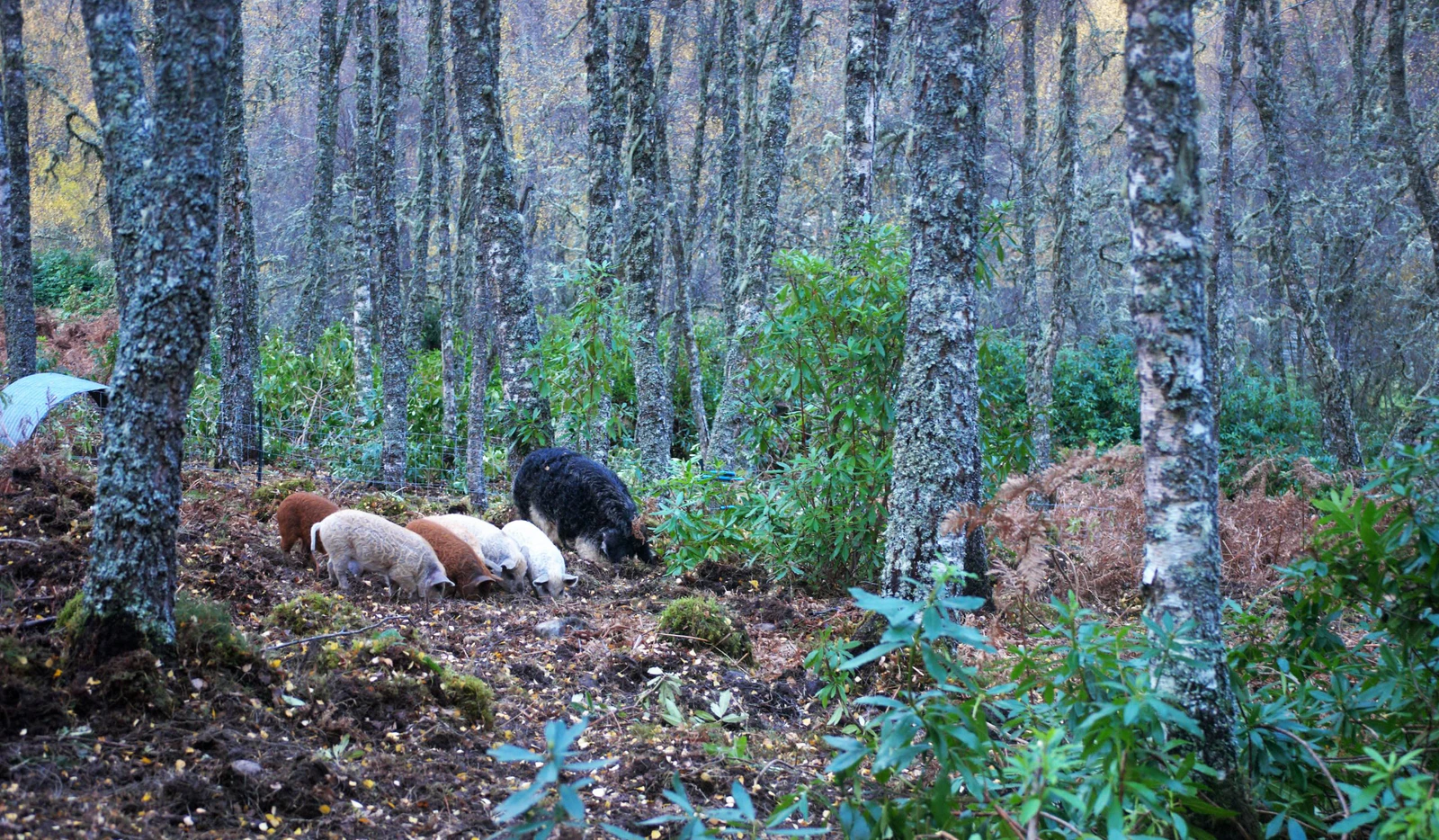
I am more interested in learning about ecosystems and the various connections between flora and fauna. And I'd like more of these ecosystems to exist. I want humans to learn to live with nature again, and therefore our landscapes to go back to how they were many years ago, when the Scottish highlands were full of forests, and there were animals such as the Lynx roaming Britain.
The terms used to describe such goals are "reforestation" and "rewinding". And while I'm not up in the Highlands replanting trees, keeping livestock from destroying more woodland, or campaigning for the return of apex predators. I've found two subscription services essentially, where you can help fund various activities such as reforestation and other climate-related projects. So I thought I'd share some information about them here if anyone else would be interested in helping their causes.
Ecologi
The first one I'll mention is Ecologi. I've had a membership for over six months now, and the work they do around the world is excellent. Their main objectives are to plant trees and to fund the best climate crisis solutions.
A lot of the time, the projects are based around reforestation, protecting wildlife, and funding renewable energy projects. A few examples are protesting forests in Northern Zimbabwe, preserving prime Brazilian rainforests, and reforesting a place called Dalry in Scotland.
How Ecologi works is that as your money funds climate projects and tree planting, you get to visualise this in your digital forest. For example, my forest of little over 6-months has 472 trees and has funded 13.03 tonnes of carbon reduction.
The plans are pretty flexible, and you can add local projects to them. I have the "Booster" plan, which is just £9.40 a month and funds the planting of 24 trees per month and reducing an estimated two carbon footprints per year. I also pay an extra £10.65 a month towards a reforestation project in Scotland, which adds another three trees to their forest.
If that interests you, then I'd recommend checking them out, and if you do choose to sign up, then by using my referral link, and we'll both receive 30 trees.
Mossy Earth

Mossy Earth is one that I've only just found, and that was through my research into various rewilding projects. The main aim of all of their projects is to "restore ecosystems and promote biodiversity".
They handle their reforestation and rewilding projects differently. As for the reforestation projects, after they have done enough analysis to decide to proceed with a project and a plan is drawn up, the process is essentially:
- Trees are planted
- Photos are taken and GPS coordinates are recorded
- Trees are assigned to members
- Trees/Forests are monitored and replanted
A few of their reforestation projects:
- Restoring the Caledonian Forest in Scotland
- Restoring native Oak woodlands in areas prone to wildfires
- Restoring floodplain forests along the Danube River in Slovakia
As for the rewilding projects, these actually include members involvement. They start with the same level of analysis, with the result being various projects being drawn up. These projects are then vetted to make sure they fit their criteria. First, to ensure that they fit within the broader context of ecological restoration for that area. Then to ensure that the drivers of degradation are actively addressed. And finally, that there is a strategy to monitor the impact of the project and potentially alter the practices used. The projects are then shown to members for approval. Here is the simplified version of that process:
- Project options researched
- Members cast votes on what projects should be implemented
- Projects are implemented
- Results are monitored and reported
Some of their rewilding projects:
- Building Eagle nest platforms in the Scottish Highlands
- Clearing invasive plants to protect the habitat of the Alaotra Gentle Lemur in Madagascar
- Protecting Turtle nests and eggs in Slovakia
They don't have specific plans like Ecologi but rather do it on a specific monthly contribution. For example, I'm currently paying £10 a month towards their projects, which they say will also go towards planting 48 trees per year.
If you're interested in signing up, then Mossy Earth also has a referral system where they will plant four extra trees for me and you if you sign up via my link.
I'm delighted these services exist. I find them to be particularly more compelling than simply donating to the equivalent charities. You get regular news and progress reports, which makes you see what your contributions are actually funding.
The Evolution of What I Write About
Something that I have been thinking a lot about lately is the content that I want to write about and how it's changed over the years.
When I first started writing online, I was focussed on writing about Apple, apps, and related technology news. At one point, I remember trying to cover all Apple-related news. That didn't last long.
Then I tried to do more app reviews. But after a while, this started to bore me as well. Since sometimes, it felt as if I was reviewing an app for the sake of it, rather than simply sharing something that I enjoyed using.
I've written a few blog posts about development and a few guides relating to development (which still get regular traffic). But I've never been the sort of person to spend most of their time on a particular thing, which means my development work is always done in bursts. So I realised that writing a development blog probably wouldn't be suited to me.
However, recently I've transitioned this blog to a "personal blog", and I think it's something I'm going to settle on for a while. I find it a lot easier to write about personal experiences, to share things that I've enjoyed, and also to sometimes comment on things such as news or other people's writing that I've read.
When I think back, there has always been a small part of me who just wanted to write something personal. But I think a more prominent role has always felt as if it wouldn't be that popular, so I shouldn't be writing about it.
That's also where my attitude has changed too. Whereas before, I would write reviews and cover news to appeal to as many people as possible. I've now adopted what may not sound like a very friendly attitude, where I don't particularly care what any "audience" may think about my writing. I write about what I want to write about, and I'm not contractual obliged to write about anything in particular.
It may seem odd to "not care" what your audience thinks, but I also believe that being more honest is better for myself and potentially for anyone that would be interested in what I have to say. But I'd much rather have no audience than have an audience that I don't want to write for.
I wrote about this a while ago in a piece called "Showing Your Own Perspective" but essentially, my point is that we should all be a bit more real* with our writing. Because I personally think there's so much more value to writing when it feels like there's a person behind it.
The Wrong Kind of Splash
Om Malik, on Unsplash being acquired by Getty Images:
I should rephrase part of that — I was a fan up until last evening when I got an email announcing that the company was being acquired by none other than Getty Images. Hearing this was like a red hot spike through the eyes. A startup whose raison d’être was to upend draconian and amoral companies like Getty Images was going to now be part of Getty. Even after I have had time to process it, the news isn’t sitting well with me.
[…]
Naturally, the company and co-founder Cho denied that anything will change with Unsplash. Though he did write of his buyers that, over the course of many talks, “It also became clear we shared a similar view of the world.” If you are a platform that shares values and views with Getty, you ain’t for me. I couldn’t bear to be part of a platform that is owned by such a company. I have since deleted my Unsplash account — and I know others have, as well.
I have an Unsplash account as well, and I put quite a fair amount of my photos there. I too felt a bit uneasy when I got that email announcement. While immediately I thought about closing my account, I didn’t want to make any rash decisions, so I left it. But after reading this piece, which goes into the history of Getty Images a bit, I don’t really want to be associate with them. Therefore I will be removing my photos and deleting my account.
There’s always room for optimism, and maybe Unsplash will continue to be a great service. But there’s always change when a company is acquired. Maybe it’s not always the worst-case scenario, but there’s always change.
WWDC 2021 Has Been Announced
Apple has announced the dates for this years WWDC, and as we all expected, its back in it's all-online format that we experienced last year.
Apple Newsroom:
Apple today announced it will host its annual Worldwide Developers Conference (WWDC) June 7 through 11, in an all-online format. Free for all developers, WWDC21 will offer unique insight into the future of iOS, iPadOS, macOS, watchOS, and tvOS. Building on the record-breaking participation and learnings from last year’s online conference, WWDC21 is an opportunity for developers to learn about the new technologies, tools, and frameworks they rely on to build innovative and platform-differentiating apps and games.
I'm very much excited for WWDC this year. A bit more than usual as well. Since I'm on the lookout for a new project to work on, and I'm hoping a new API or technology can unlock something for me.